
Nartiel8k IPTV Smarters Setup: Fire TV, Android and iPhone
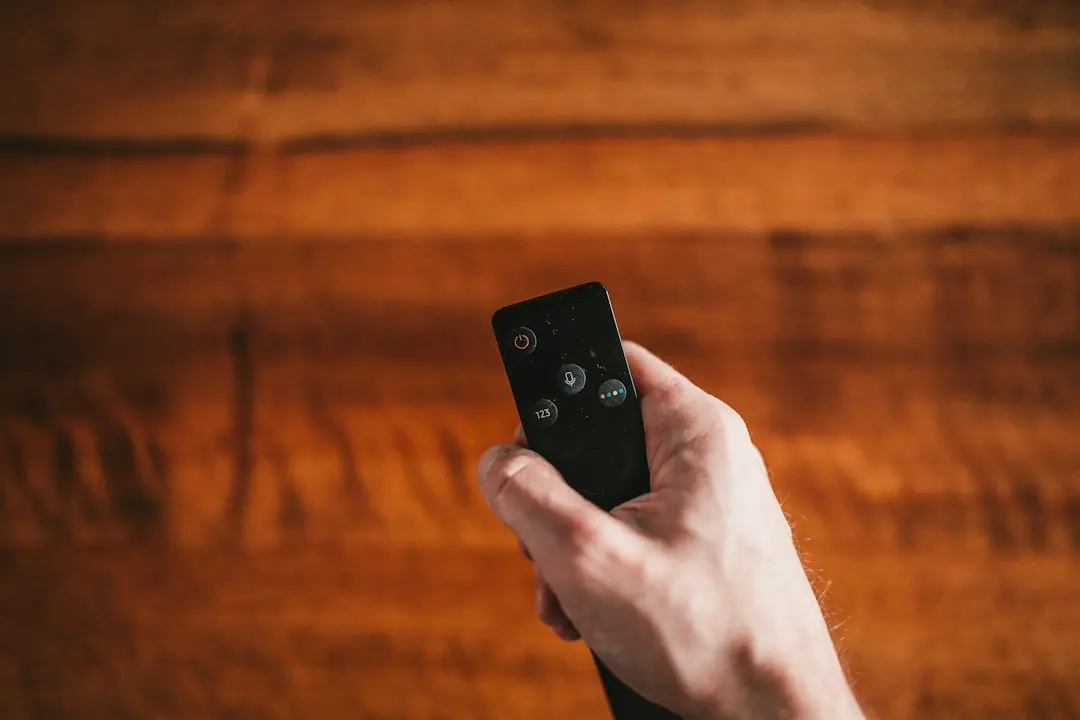
IPTV Smarters is a third-party player app: it has no channels of its own, and it plays the streams from a login you get from an IPTV service. To watch Nartiel8k in IPTV Smarters, you install the version for your device, choose the Xtream Codes login and enter the server address, username and password from your welcome message. This guide covers Fire TV, Android, iPhone and iPad, Windows and Mac, the alternatives our setup guide names, and the errors people run into most often.
IPTV Smarters is made by an independent developer. It is not a Nartiel8k product, and we have no partnership with its developer; we name it because it is one of the players that works with our login.
What IPTV Smarters Is (and What It Isn't)
A player app is the screen side of IPTV. It signs in to a service, downloads the channel list, the movies and series and the TV guide, and plays whatever you pick. The content itself comes from your subscription. That is why the same app can show nothing at all before you sign in, and why the player never replaces a subscription.
With a Nartiel8k subscription, your welcome message holds the details the app needs:
- Xtream Codes: the server address, your username and your password. This is the login IPTV Smarters uses in our guide.
- An M3U playlist: a single link, used by players such as VLC.
- A MAG portal: for MAG boxes, which need no app at all.
IPTV Smarters comes in several versions, and the name changes by platform. Our guide uses these:
| Device | IPTV Smarters version | Alternative named in our guide |
|---|---|---|
| Amazon Fire TV Stick | IPTV Smarters, installed with the Downloader app | TiviMate |
| Android phone, tablet or TV box | IPTV Smarters Pro | TiviMate |
| iPhone or iPad | IPTV Smarters Player Lite | GSE Smart IPTV |
| Windows PC or Mac | IPTV Smarters for Windows or macOS | VLC |
IPTV Smarters is not on our list for Samsung or LG Smart TVs, Apple TV or MAG boxes; those devices have their own steps in the Nartiel8k IPTV setup guide.
IPTV Smarters on Firestick with Nartiel8k
IPTV Smarters on Firestick is installed with Downloader, an app from the Amazon Appstore, as our setup guide describes. The Nartiel8k team gives you the download address on WhatsApp; we don't publish it, so you get the right file and not a copy from an unknown site.
- On the Fire TV home screen, search for Downloader and install it from the Amazon Appstore.
- Go to Settings → My Fire TV → Developer Options → Install Unknown Apps and turn it on for Downloader.
- Open Downloader, enter the IPTV Smarters download address our team gives you on WhatsApp, and install the app. (TiviMate is the alternative: choose Add Playlist → Xtream Codes.)
- Open IPTV Smarters and choose "Login with Xtream Codes API".
- Give the profile any name, then copy the server address, your username and your password exactly as they appear in your welcome message, with no extra spaces.
- Let the first sync finish, then add your favorite channels for quicker access.
No Developer Options menu? Open Settings → My Fire TV → About and click your device's name seven times to show it.
How to Use IPTV Smarters on Android
On an Android phone, tablet or TV box, the version is IPTV Smarters Pro. The Nartiel8k team gives you the download address on WhatsApp.
- Install IPTV Smarters Pro or TiviMate.
- Open the app and tap Add User, or choose the Xtream Codes login ("Login with Xtream Codes API").
- Copy the server address, your username and your password exactly as they appear in your welcome message, with no extra spaces, and check that the server address starts with http:// or https://.
- Wait while the channels, movies, series and TV guide download.
TiviMate is made for TV screens; on a phone or tablet, IPTV Smarters Pro is the easier choice.
IPTV Smarters Player Lite on iPhone and iPad
On Apple phones and tablets, the version is IPTV Smarters Player Lite, from the App Store.
- Open the App Store on your iPhone or iPad and install IPTV Smarters Player Lite or GSE Smart IPTV.
- Open it and tap Add User (in IPTV Smarters Player Lite), then copy the server address, your username and your password exactly as they appear in your welcome message, with no extra spaces.
- Keep the app open during the first sync while the list loads.
- For the TV guide, tap Install EPG: no extra address is needed.
If the player can't connect, turn off iCloud Private Relay for a moment and try again. For more on the 7-day TV guide and catch-up, see our post on the Nartiel8k IPTV EPG.
IPTV Smarters on Windows and Mac
- Install IPTV Smarters for Windows or macOS, or VLC, only from the developer's official website.
- In IPTV Smarters, sign in: copy the server address, your username and your password exactly as they appear in your welcome message, with no extra spaces.
- In VLC instead, open Media → Open Network Stream (Windows) or File → Open Network (Mac) and paste the full M3U link from your welcome message.
- Save the playlist in VLC so you don't have to paste it every time.
VLC plays the M3U playlist but shows no TV guide; a wired Ethernet connection gives the most stable playback on a computer.
Common IPTV Smarters Errors and How to Fix Them
Most problems come from the login or the network, not from the app. Work through these checks:
- The login is refused. Look for a space before or after the username or password, a wrong character, or a server address without http:// or https://. Copy the details again from your welcome message rather than typing them from memory.
- The subscription isn't active. A trial lasts 24 hours and a plan lasts the 3, 6 or 12 months you paid for. If yours has ended, the app can't sign in.
- A second screen stops the first. One connection is one device streaming at a time. To watch on two screens at once, you need a plan with two connections.
- The TV guide is empty. Refresh the playlist and the TV guide in the app's settings; on iPhone and iPad, tap Install EPG.
- Channels freeze or buffer. Restart the player, the device and the router. Try Ethernet or move closer to the Wi-Fi router. Nartiel8k recommends at least 10 Mbps per stream for HD and 25 Mbps for 4K; our 4K IPTV guide explains what else a sharp picture needs.
- Still stuck? Tell the Nartiel8k team on WhatsApp your device model and the step where you're stuck. A photo of the screen helps.
A safety note that applies to any player: install it only from your device's official app store, the developer's official website or the address our team gives you, and never post your password or server address in a public forum or screenshot.
Alternatives to IPTV Smarters for Nartiel8k
IPTV Smarters isn't the only option, and on some devices it isn't the one our guide names at all:
- TiviMate on Fire TV and Android, designed for TV screens.
- GSE Smart IPTV on iPhone, iPad and Apple TV.
- SetIPTV, NetIPTV, IBO Player Pro or IBO Player on Samsung and LG Smart TVs. These are activated by sending the TV's MAC address (and the device key for the IBO players) to our team on WhatsApp.
- VLC on Windows and Mac, with the M3U playlist.
- A MAG box, which needs no app: it connects through a portal address once its MAC address is registered.
Like IPTV Smarters, these are third-party players with no channels of their own. The content is the same whichever you choose: 55,000+ live channels and 150,000+ movies and series from your Nartiel8k subscription.
Nartiel8k IPTV Smarters FAQ
How do I use IPTV Smarters with Nartiel8k?
Install the IPTV Smarters version for your device, open it, choose "Login with Xtream Codes API" (or Add User), and enter the server address, username and password from your welcome message. The app then loads the channels, movies, series and TV guide.
Does IPTV Smarters come with channels?
No. IPTV Smarters is only a player. It shows the channels, movies and series from the IPTV subscription you sign in with, so it needs a login such as Nartiel8k's to show anything.
How do I get IPTV Smarters on a Firestick?
Install Downloader from the Amazon Appstore, turn on Install Unknown Apps for it, then open Downloader and enter the download address our team gives you on WhatsApp. Open the app and log in with Xtream Codes.
Can I get IPTV on my phone with IPTV Smarters?
Yes. On Android, use IPTV Smarters Pro; on iPhone or iPad, IPTV Smarters Player Lite from the App Store. The login details are the same as on your TV.
How do I use an IPTV app on more than one device?
Install the player on each device and sign in with the same details. Each connection is one device streaming at a time, so watching on two screens at once needs a plan with two connections; plans go up to five.
Start Using IPTV Smarters with Nartiel8k
IPTV Smarters is a third-party player, and Nartiel8k is the subscription it plays: install the version for your device, log in with Xtream Codes, and the channels, movies, series and guide load. Try it on your own device first with the 24-hour free trial, asked for on WhatsApp with no payment, then choose a plan for 1 to 5 connections.
Want to try Nartiel8k?
Ask for a free trial on WhatsApp, or start with the 3-month plan at $32, with a 7-day money-back guarantee.
More Nartiel8k articles
Nartiel8k 4K IPTV: What You Need for 4K and 8K Streams
Nartiel8k 4K IPTV guide: the screen, device, player app and internet speed you need for 4K streams, and where 8K IPTV fits in.
October 30, 2026
Nartiel8k: How to Pick the Best IPTV Service
How to judge the best IPTV service for you: a checklist on trials, refunds, monthly prices, connections and apps, with Nartiel8k's published answers.
October 30, 2026
Nartiel8k Cheap IPTV: What IPTV Really Costs
Cheap IPTV, done honestly: Nartiel8k prices per month and per screen, 12-month vs 3-month plans, hidden costs to check and low-risk ways to start.
October 30, 2026